100% local processing
All API credentials and financial records stay on your local device. External sync requests go directly from your computer to official providers.
 Store Finance Desk
Free & open-source private desktop financial tracker
Store Finance Desk helps indie developers sync App Store Connect and Google Play monthly financial reports, analyze revenue, downloads, refunds, and exchange rates with 100% local privacy.
MIT Licensed • 100% Free & Open Source
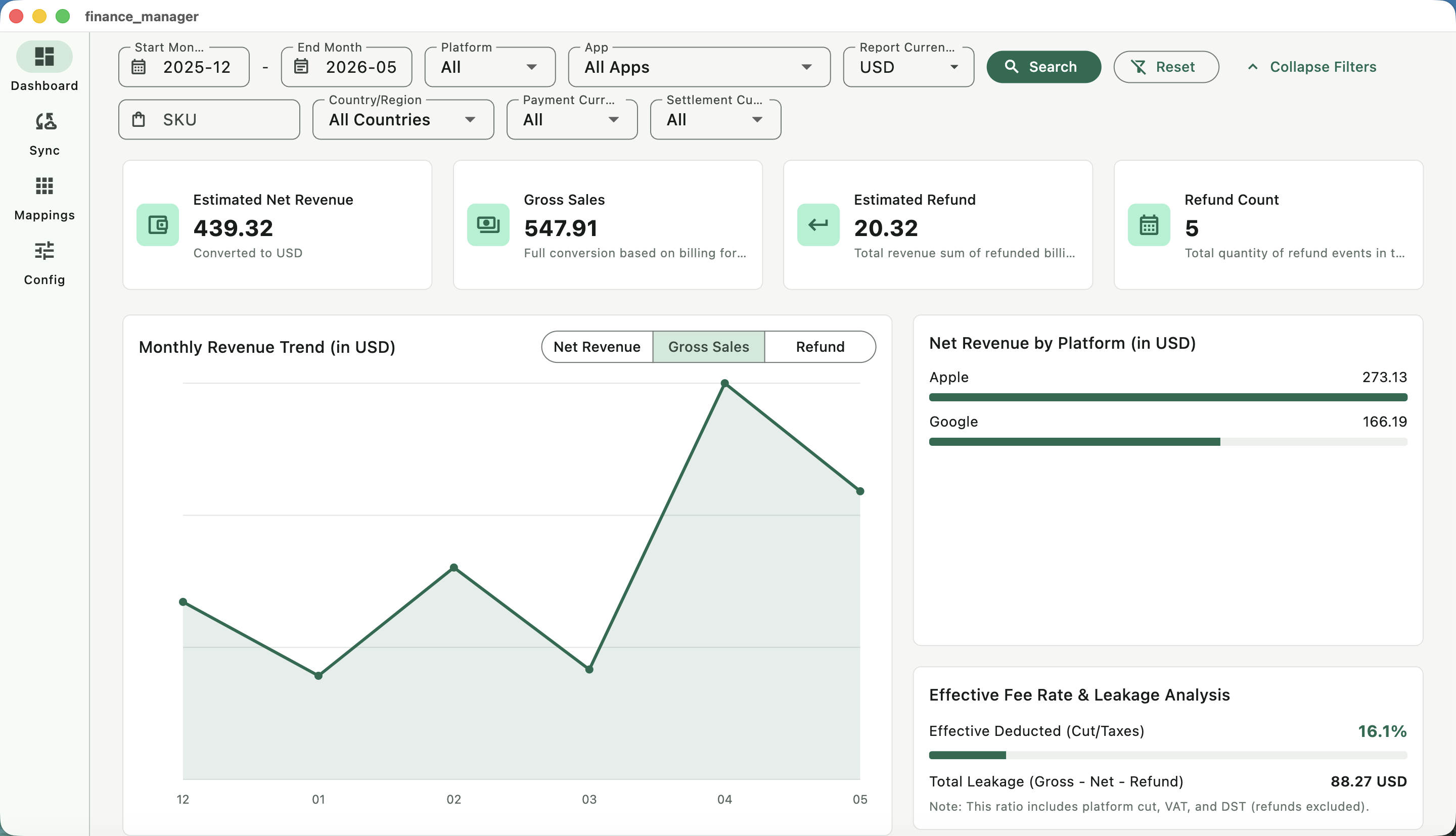
All API credentials and financial records stay on your local device. External sync requests go directly from your computer to official providers.
Automated background sync from Apple App Store Connect API and Google Cloud Storage (GCS) monthly reports.
Visualize net revenue, gross revenue, and refund rates with smooth MoM trends and filterable dimension charts.
Automatic exchange rate conversion for 160+ world currencies via quiet internet-based background sync.
Review merged transaction histories, record counts, execution logs, and converted billing details in a unified table.
A local-first, free alternative to expensive monthly SaaS subscriptions. Open-sourced under the MIT license.
Store Finance Desk keeps the setup practical: add provider credentials locally, choose billing months, sync official reports, then review trends and raw transactions without uploading your business data.
Fill in Apple and Google report credentials on the Config tab. They stay on your own machine.
Choose a start and end month in YYYY-MM format before syncing.
Apple and Google Play reports run concurrently; one platform failing does not block the other.
Track revenue, refunds, rankings, sync history, errors, and converted raw details in the desktop app.
The app covers the finance workflow after sync: monthly trends, dimension rankings, exchange-rate conversion, and merged billing detail review.
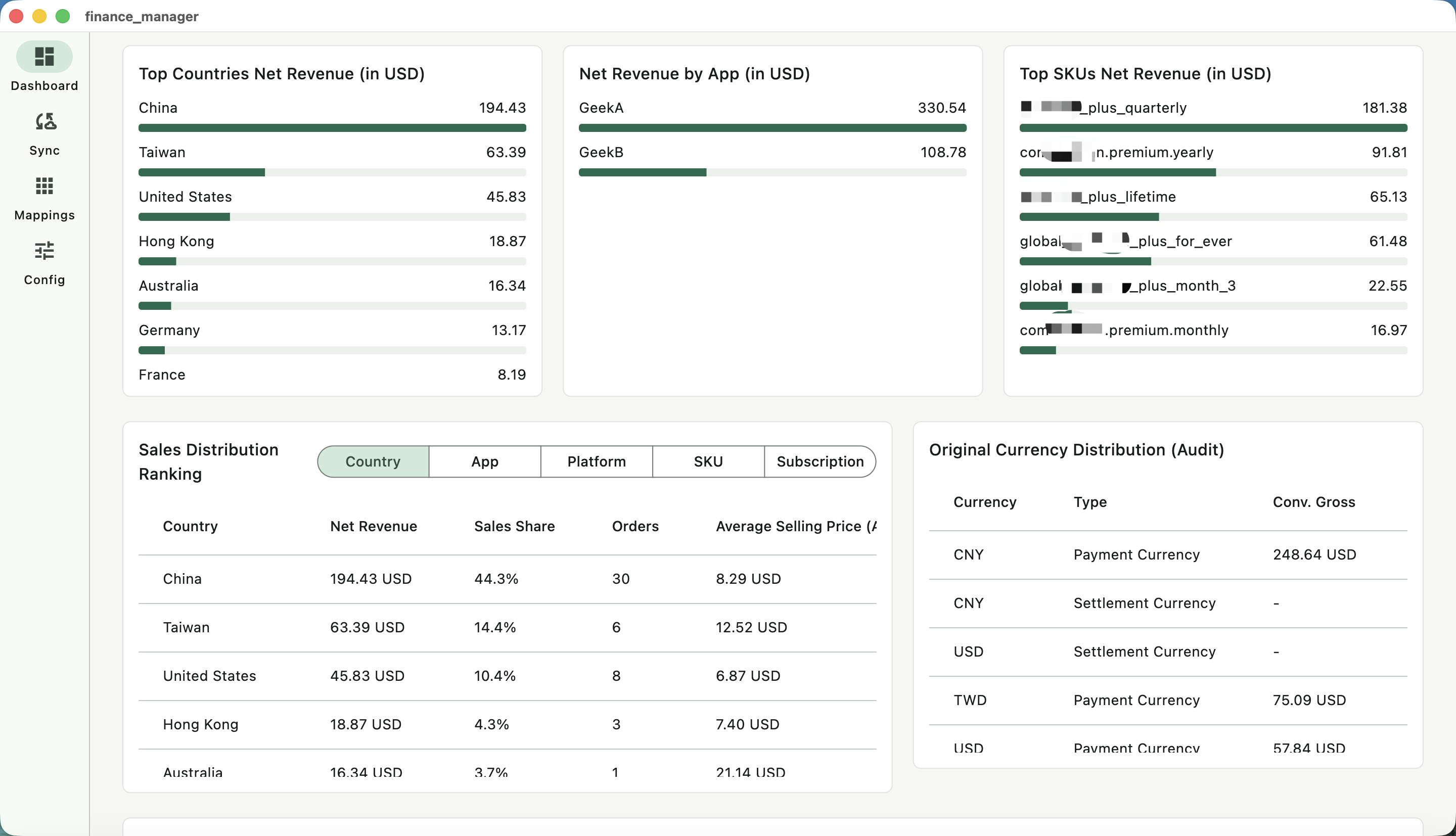
Compare revenue by country, app, platform, SKU, and billing cycle.
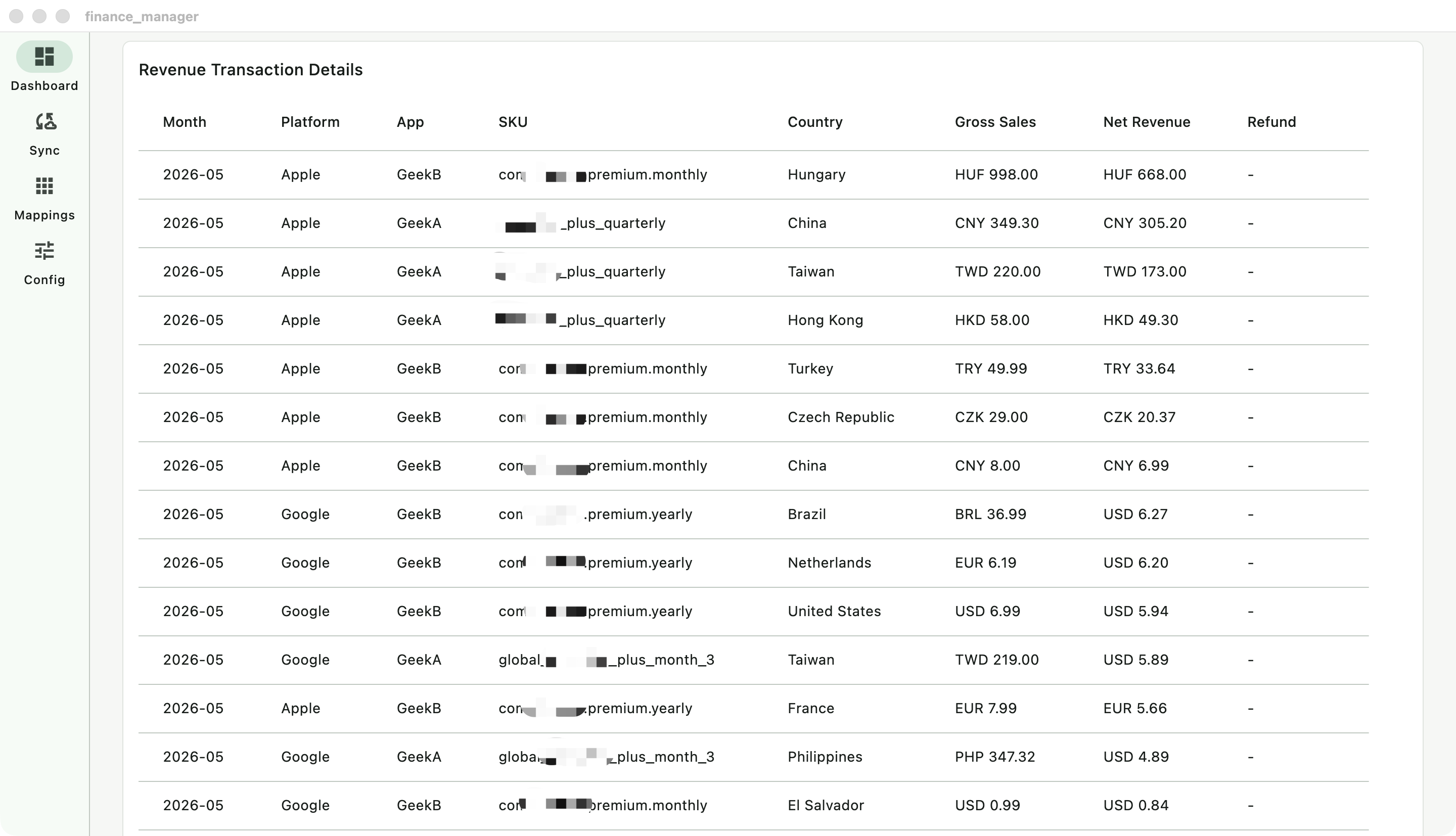
Review converted transactions, sync periods, record counts, execution time, and errors.
Know exactly what the app asks for and where runtime state is saved.
~/Library/Application Support/store_finance_desk/state.json%APPDATA%\StoreFinanceDesk\state.json| Workflow | Typical web SaaS | Store Finance Desk |
|---|---|---|
| Privacy | Upload API keys and financial stats to a cloud service | Save credentials and sync records on your own device |
| Localization | Paid tiers based on tracked app seats and usage limits | 100% Free and open-source with no caps |
| Delivery | High monthly/yearly subscription costs | Free tool with clean MIT code license |
Download the compiled desktop application and start tracking. Zero database upload, zero subscriptions.
$0
Free forever. Sync unlimited apps, platforms, billing cycles, and transactions.
Corporate sponsor
$0
Star the GitHub repository and contribute code or translation pull requests.
Open-source under MIT license.